Henofi
Henofi
Henofi enables simple and painless blood analysis that can be conducted at home. In this speculative design project the focus is on the conceptual and visual design of a product or service, not its technical feasibility.
User Research
Concept
UX Design
Visual Design
Prototyping
3D-Modeling
Info
Time frame
September 2021 - December 2021
Context
Invention Design, Hochschule für Gestaltung
Tools
Figma, Cinema 4D
Teammembers
Abigail Ocampo, Lena Bauer
Research
Many people rely on regular blood tests for health monitoring, including those with chronic diseases like diabetes and heart conditions, pregnant women, individuals with infectious diseases like HIV, the elderly, and high-performance athletes.
While these tests are essential for managing health, tracking disease progression, and monitoring treatment outcomes, they can be inconvenient and require the expertise of a doctor.
What would it be like if you could conduct a blood test at home, painlessly, cheaply and independently?
Concept
Henofi is a comprehensive health system centred around a mobile app. This app covers the areas of health, nutrition and fitness. For our project, however, we focused on the health section, specifically where blood analysis takes place.
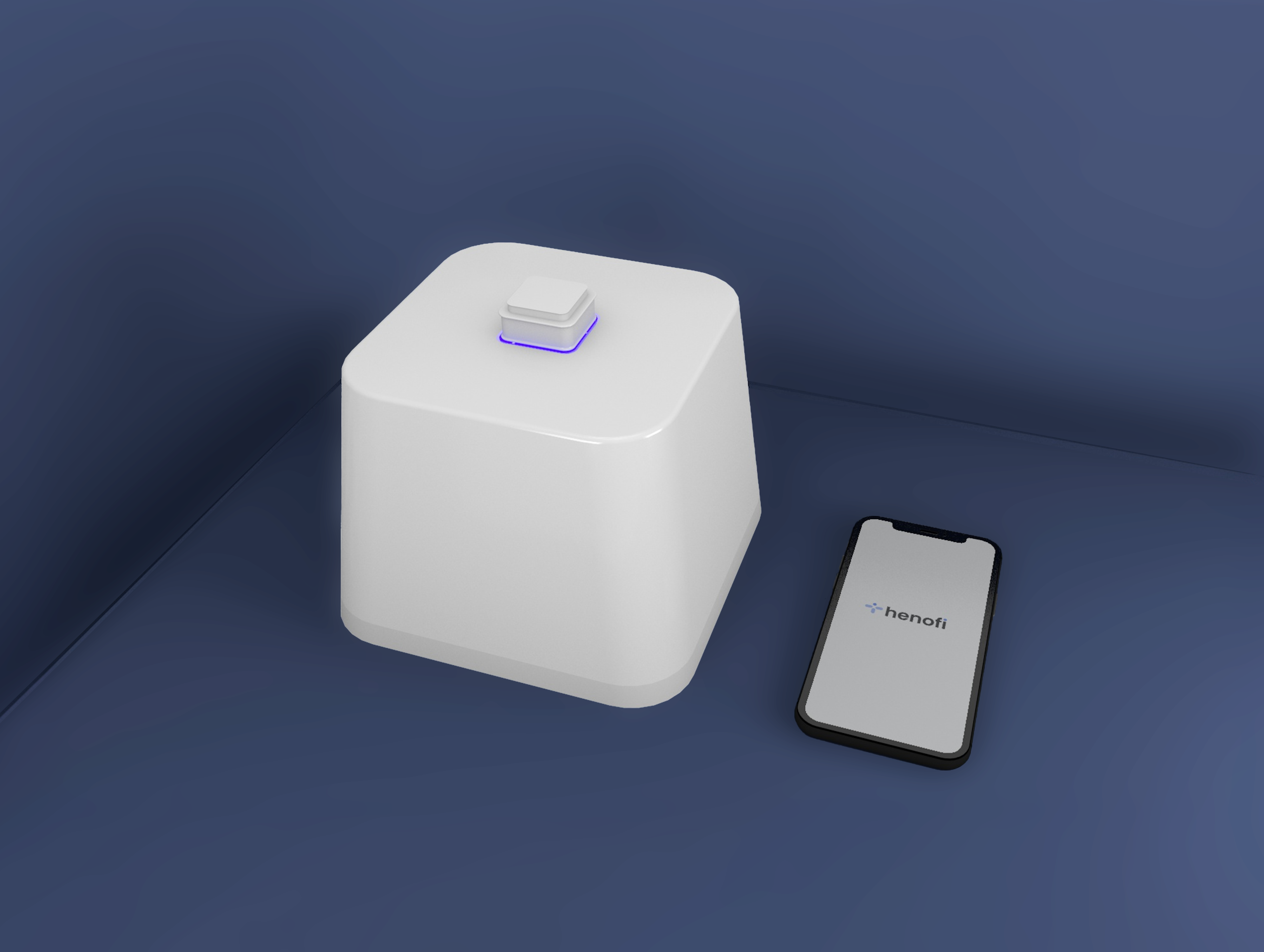
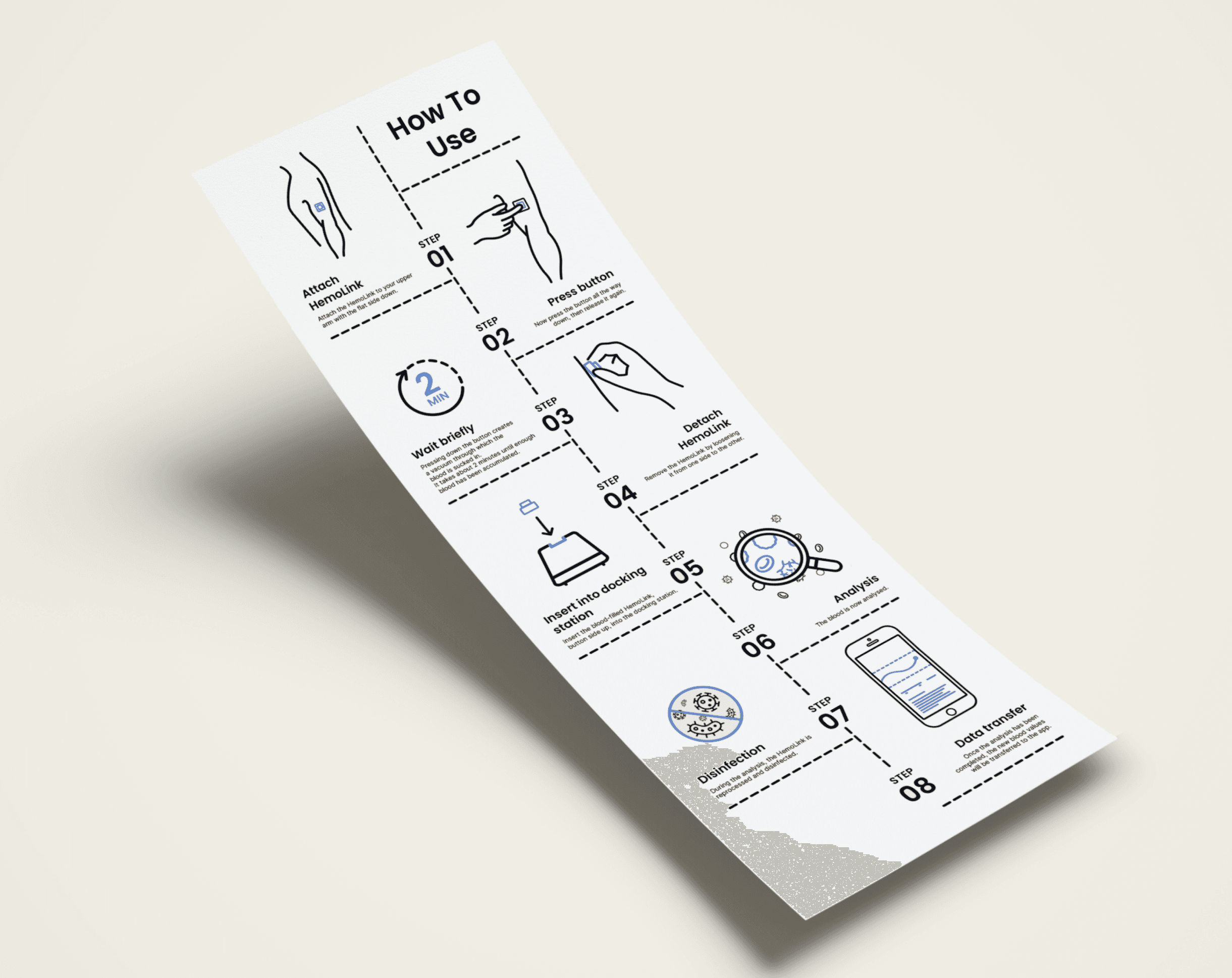
Blood analysis requires a docking station. The docking station contains a small device that allows the user to draw blood easily and without needles, which is then transferred to the docking station. There, it is analysed using lab-on-a-chip technology, which could enable affordable analysis in small spaces in the future. During the analysis, the blood collection device is cleaned and disinfected. When the results are ready, they are transferred to the smartphone app and the user receives a notification.
The Mobile App
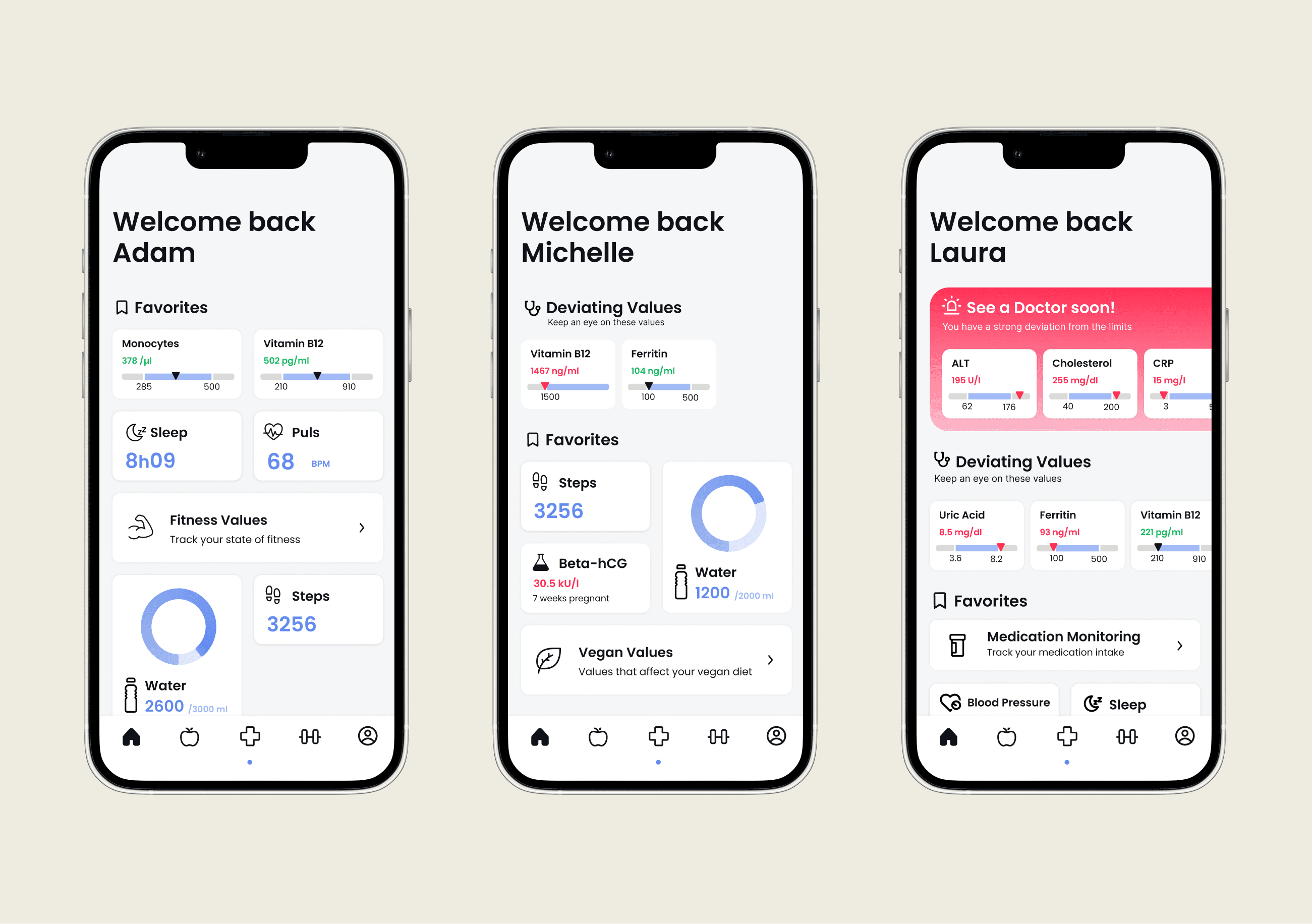
Home screen
The user can favor certain values or add certain widgets to the homescreen. This makes it possible to personalize the homescreen as desired. The Homescreen also contains information about the current bloodanalysis and warns the user if the values should deviate strongly.
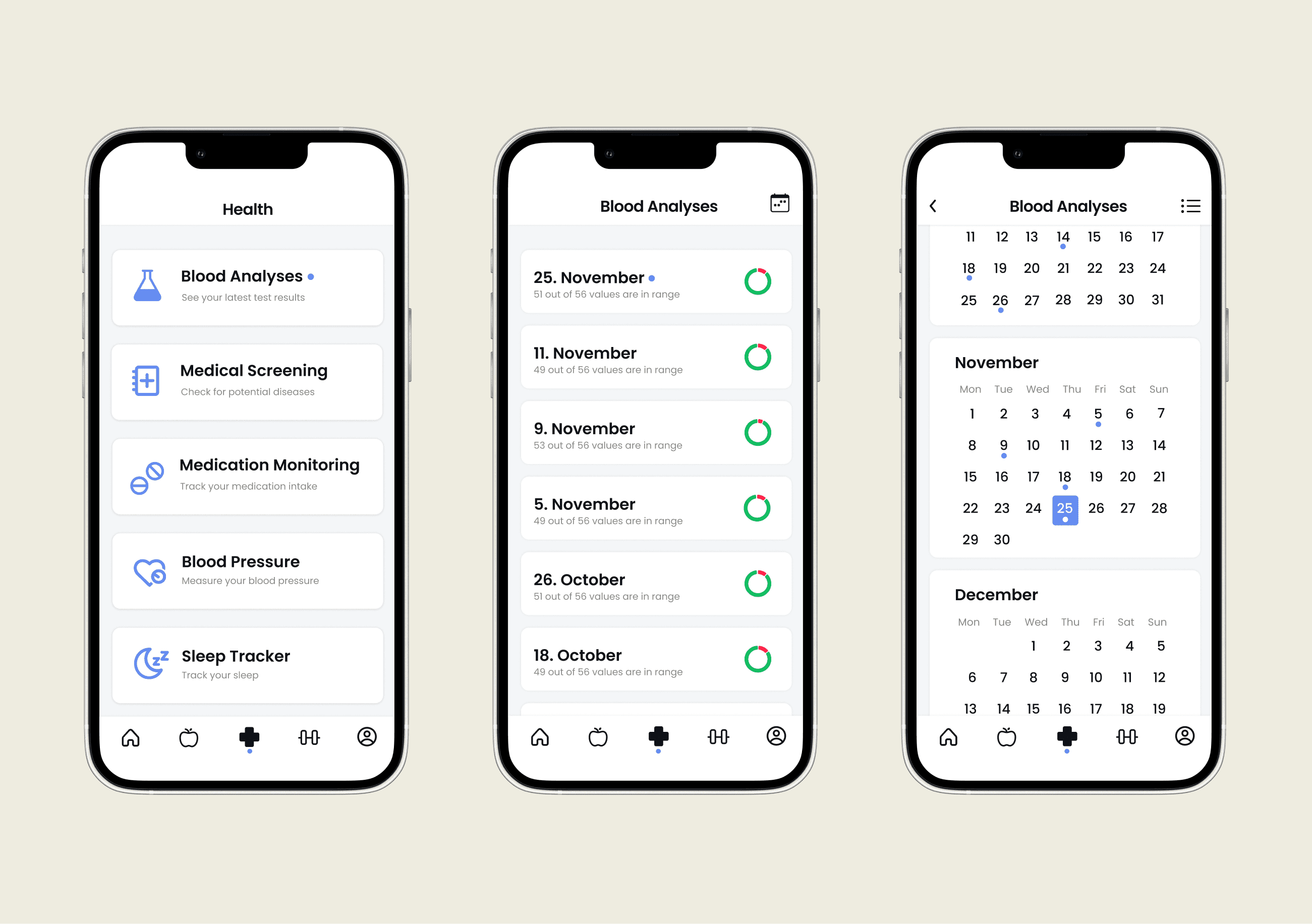
overview of all bloodcounts
The health tab takes you to the blood analyses. here you can switch between a list view and a calendar view. The list view provides additional information about the measured values. The calendar view provides a better overview of the date and regularity of the analyses.
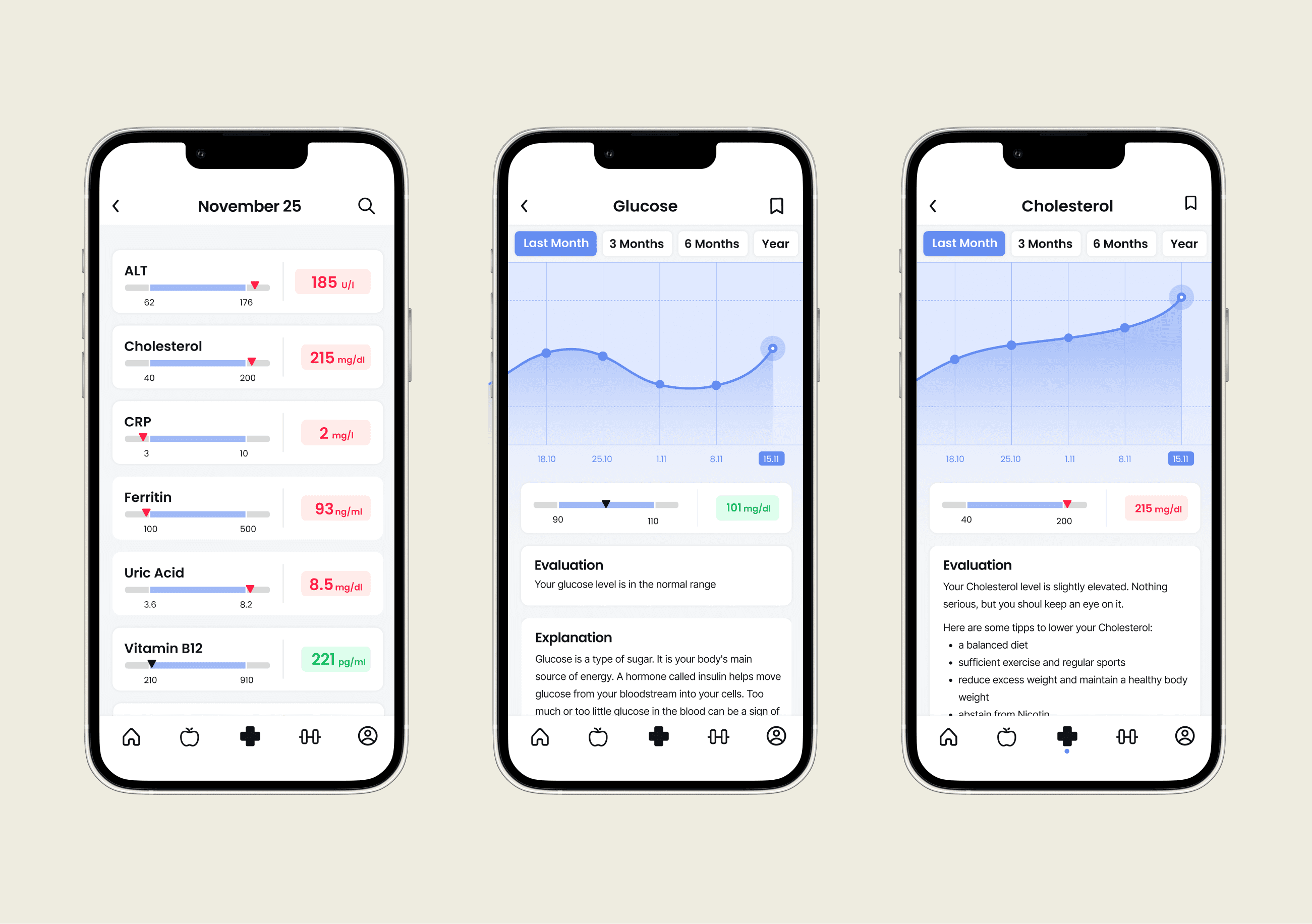
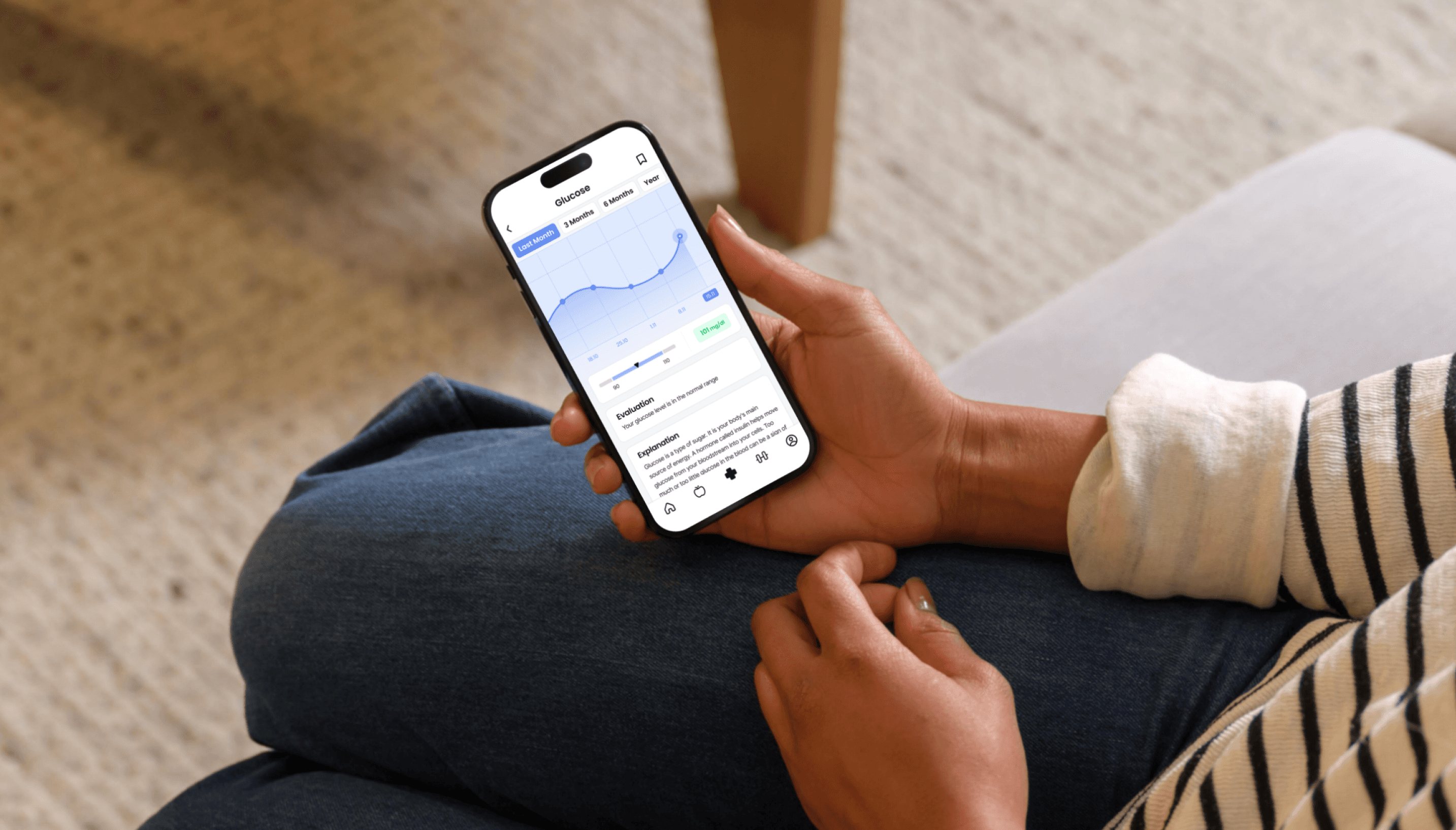
bloodcount Detailview
Deviating values are displayed at the top. in the detailed view of a value you can see the course of the last measurements as well as an assessment and explanation of the corresponding value.